
Best Free Motion Capture Software Download in 2026

Time:2026-11-05 Author:Sienna
0%

Choosing a free motion-capture tool is not just about finding a download button. You need to know what it captures, which devices it supports, and how easily it exports usable animation. Blender founder Ton Roosendaal has described Blender as “free software, and it will always be free.” That commitment matters, but free access alone does not make every workflow simple.

This guide to Best Free Motion Capture Software Download in 2026 compares tools for different starting points. Some use a webcam and track body movement in a small room. Others need sensors, careful calibration, or extra cleanup before a character’s motion looks convincing. Small details count: lighting, camera placement, dropped frames, and whether a file imports cleanly into your 3D software. A promising preview can still produce jittery elbows.

Not every free option fits every project. Some limit exports, features, or supported hardware; pricing and terms can also change. Check the software’s official download page, current system requirements, and license before installing. Keep expectations realistic. A free tool can help you test an idea, block out a dance, or build a rough animation, but polished results may take patience and manual editing. This overview highlights practical strengths and trade-offs, so you can choose a safe, suitable starting point without mistaking “free” for “frictionless.”
Best Free Motion Capture Software Download in 2026

Motion Capture Basics: Converting Movement into 3D Skeletal Data

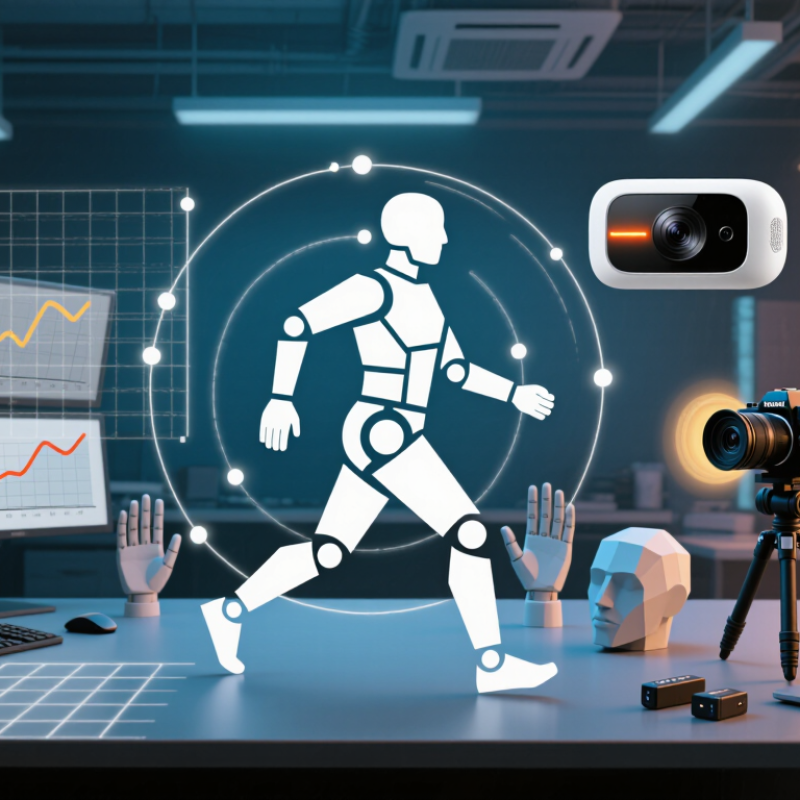
Motion capture converts a person’s movement into data that a digital skeleton can follow. A camera or sensor system records motion, then software estimates the positions of key joints, such as shoulders, hips, knees, and wrists. These points form a skeletal structure over time. The result is a sequence of poses, not simply a moving picture. Small errors matter. Poor lighting, loose clothing, or a blocked elbow can make tracking less reliable. Even a clean-looking preview may hide jitter in the joint data.

Tips: Calibrate the capture area before recording, and keep the full body visible. Start with a slow, simple action, such as raising both arms. Check whether the skeleton’s feet slide or the elbows bend strangely. If they do, adjust the setup or refine the data before exporting.

Free motion-capture software can help you inspect, clean, and export skeletal animation, but features and hardware support vary. Check file formats and system requirements before downloading. For a useful test, record a short walk and compare the digital hips and knees with the actual motion. It may take several adjustments. That is normal, and it is worth noting that no automatic tracking method is perfect. A little manual cleanup often makes the movement easier to use in a 3D project.

Compare Markerless, Inertial, and Optical Capture for Different Workflows

Choosing the best free motion capture software in 2026 starts with the movement you need to record. Markerless capture uses cameras, making it convenient for quick tests in a small room. Clear lighting and an uncluttered background help, but loose sleeves or fast turns can confuse tracking. Check whether the software supports your camera setup and exports files your animation tools can read. A free download is useful only if it fits the whole workflow.

Inertial systems use wearable sensors, so they can work in spaces where cameras are awkward. They are handy for recording turns or movements outside a studio, though sensor drift may affect long takes. Optical capture tracks reflective markers with multiple cameras. It can deliver precise motion, but setup takes time, and the required equipment may not be free. Small trade-offs matter. Test a short walk, a turn, and a raised-arm movement before committing to a method. Compare joint stability, cleanup time, and export quality—not just the preview. I would not assume one approach is best for every scene; even a clean-looking capture may need manual correction.

Assess Free Mocap Tools by Support for BVH, FBX, and Common 3D Rigs

For a free motion-capture download in 2026, judge the export, not just the preview. BVH is useful for transferring skeletal motion, while FBX can carry animation alongside rig data. But file support alone proves little.

A 2024 market analysis by Grand View Research valued the global motion-capture market at USD 216.2 million in 2023 and forecast 12.4% annual growth through 2030. That growth signals wider use, not reliable free exports. Small details matter.

Before committing, export a short walk cycle and inspect it in your target 3D application. Check bone hierarchy, naming, rest pose, frame rate, scale, and root motion. A motion may look smooth in a viewer yet twist wrists after retargeting. Test common humanoid rigs, not only the sample character. Compare BVH and FBX imports, then check whether the feet stay planted and the hips track cleanly. Test the round trip. Some free tools omit useful metadata or restrict export options; read the current feature list, because limits change. This checklist is not perfect: different pipelines interpret axes and bone roll differently. Still, a ten-second test can reveal more than a polished demo.

Match Capture Rates to 24 fps Cinema and 25 or 30 fps Video

Best Free Motion Capture Software Download in 2026

A motion-capture project should use a frame rate that fits its final destination. Cinema commonly uses 24 fps, while video may require 25 or 30 fps. Set the project rate before recording, then check whether your camera or sensor can capture at that rate. A mismatch can create uneven playback, repeated frames, or timing drift. I still find this easy to overlook when testing a new setup. The preview can look smooth, yet the exported movement may feel slightly off.

Tips: Record a short test first. Check the software’s capture and export settings separately. If your device supports a higher rate, such as 60 fps, confirm how the software converts it to your target rate. Review a hand gesture or quick head turn frame by frame; these reveal stutter more clearly than a slow walk. Keep lighting steady, too, since blurred markers can make tracking less reliable.

For 24 fps cinema, a consistent 24 fps timeline is usually the simplest choice. For 25 fps delivery, use a matching timeline to avoid awkward cadence changes. At 30 fps, quick actions may look more fluid, but only if the capture data supports it. Free tools vary in how clearly they show dropped frames and timing errors. Check the recorded clip, not just the live preview. A few frames can still slip through.

Best Free Motion Capture Software in 2026: Match Capture Rates to Your Project

Frame duration is calculated as 1,000 milliseconds divided by the frame rate. Choose a capture rate that matches your project: 24 fps for cinema, or 25 or 30 fps for video workflows.

Download and Test a Free Mocap Pipeline: Calibration, Cleanup, and Retargeting

A free motion-capture pipeline is worth testing on a short, ordinary movement—not a dramatic stunt. Mark the floor with tape, keep the subject inside the camera view, and capture a neutral pose before recording. Even lighting helps the solver distinguish limbs from shadows. Check calibration immediately: a drifting floor plane or twisted shoulder axis will show up later as sliding feet or uneven arm height. Small setup errors matter.

Expect rough edges. During cleanup, inspect the raw take frame by frame for occluded hands, jitter, and foot sliding. Apply smoothing gently; too much can erase quick gestures. Then map the captured skeleton to a target rig, checking joint names, bone lengths, and root motion. Test a few seconds first. A clean preview can still hide a bad foot lock. Grand View Research’s Motion Capture Market report estimated a global market value of USD 191.5 million in 2022, with a projected 12.8% compound annual growth rate from 2023 to 2030. That growth signals wider use, but it does not guarantee a free tool will export cleanly. Keep the raw take and note each setting. The retargeted result may need hand fixes.

FAQS

What does motion capture software do?

It turns recorded movement into a sequence of skeletal poses. Joints such as hips and knees become trackable points.

What can make motion tracking less reliable?

Dim lighting, loose clothing, or a blocked elbow can cause errors. Even a smooth preview may hide jitter.

How should I prepare a capture area?

Keep the full body visible and calibrate the space before recording. Start with a slow arm raise.

How can I spot problems in captured motion?

Check for sliding feet or oddly bending elbows. Small details matter.

What should I check before choosing a free tool?

Review file formats, hardware support, and system requirements. Features can vary, and limits may change.

What are BVH and FBX used for?

BVH transfers skeletal motion, while FBX can include animation and rig data. File support alone proves little.

How can I test an export in a 3D project?

Export a short walk cycle. Inspect bone hierarchy, frame rate, scale, and root motion in your target application.

Why might a motion look different after retargeting?

Rigs can interpret axes, bone roll, or rest poses differently. Wrists may twist, and feet may slide.

Is automatic tracking always accurate?

No. A ten-second test can reveal hidden issues, but manual cleanup may still help. The process is not perfect.

Conclusion

Motion capture turns human movement into 3D skeletal data that can be used to animate digital characters. Free tools generally rely on one of three approaches: markerless capture from video, inertial sensors worn on the body, or optical tracking of visible markers. Each method suits different spaces, equipment, and workflows, so choosing a tool starts with understanding the capture setup and the result you need.

When considering a Motion Capture Free Download, check whether it can export formats such as BVH or FBX and work with common 3D rigs. Also confirm that its capture rate fits your target, whether that is 24 fps for cinema or 25 or 30 fps for video. A practical test should cover the full pipeline: calibrate the setup, record a short movement, clean up the motion, and retarget it to a character. This helps reveal compatibility or quality issues before committing to a longer project.

Sienna

Sienna

Sienna is a skilled marketing professional with a deep expertise in our company’s core products and services. With a passion for innovation and detail, she plays a pivotal role in crafting insightful blog posts that not only highlight the unique features of our offerings but also provide valuable......