
10 Best Motion Capture Devices in 2026
Choosing among the 10 Best Motion Capture Devices in 2026 starts with a practical question: what movement must the system capture? A filmmaker may need subtle facial expression. A biomechanics team may care more about repeatable joint measurements. A game developer might prioritize low latency and a fast setup. One device rarely excels at every task.
Actor and performance-capture pioneer Andy Serkis is widely associated with the phrase, “It’s not motion capture; it’s performance capture.” The distinction matters. A Motion Capture Device records movement, but the final result also depends on cameras, sensors, software, calibration, and the person wearing the equipment. A suit that feels comfortable in a studio may become awkward during a long session. Small details count.
This guide compares leading options by tracking method, accuracy, capture volume, workflow, compatibility, and cost. It considers optical camera systems, inertial suits, and markerless tools, while noting where each approach can struggle. For example, optical cameras can lose markers when limbs overlap. Inertial systems may drift during extended recordings. No ranking removes those trade-offs. And specifications do not tell the whole story. The right choice depends on the room, the performers, the data pipeline, and the team’s experience. Use these comparisons as a starting point, then verify current features and support with manufacturers.
Motion Capture Devices: Core Technologies and How They Work
10 Best Motion Capture Devices in 2026
Motion Capture Devices: Core Technologies and How They Work
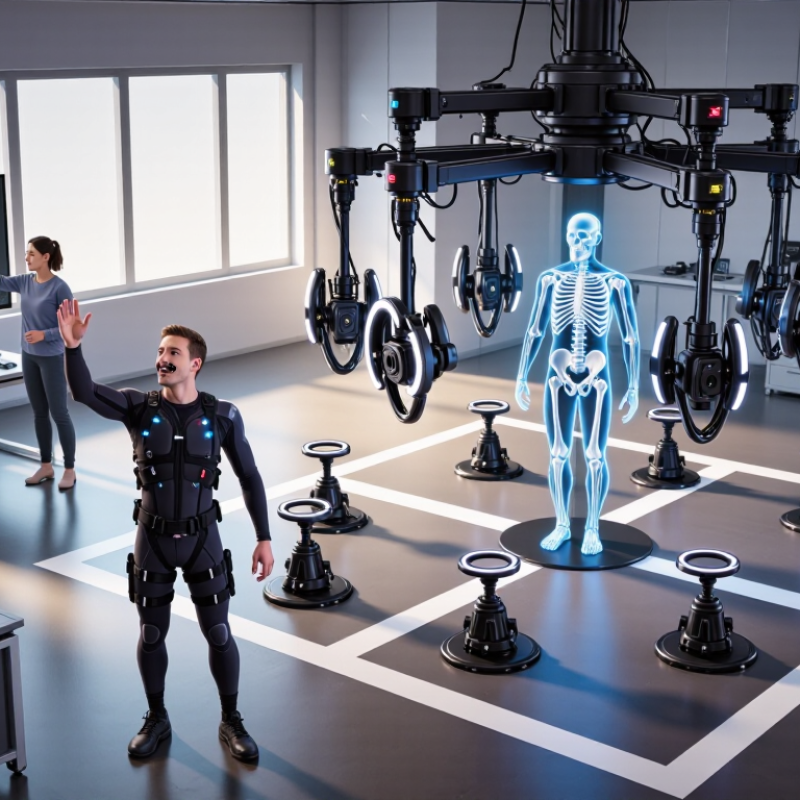
Motion capture devices translate movement into digital data, but they do not all observe the body in the same way. Optical systems track reflective markers or visible body features with cameras. A performer moves through a calibrated space while software estimates joint positions from multiple views. More cameras can reduce blind spots, but they add setup time and calibration checks. A marker hidden behind an arm can still confuse the reconstruction. Small detail, real consequence.
Inertial systems use sensors with accelerometers and gyroscopes, often worn on straps or a suit. They measure changes in acceleration and rotation, then estimate pose without camera line of sight. They work well in tight rooms, but sensor drift can gradually distort position. Markerless systems infer a skeleton from video using computer vision. They avoid wearable markers, yet loose clothing, shadows, or crossed limbs may weaken tracking. Hybrid devices combine signals to balance these limits. The right choice depends on the movement, space, and cleanup required—not just a headline accuracy figure. A clean-looking animation can still hide errors. I would test the hardest movement first and question results that look polished too easily.
10 Best Motion Capture Devices in 2026 — Motion Capture Devices: Core Technologies and How They Work
A practical comparison of ten motion-capture device types. “Best for” describes common use cases rather than a universal ranking; actual results depend on the setup, software, environment, and capture requirements.
| Device Type | Core Technology | How It Works | Best For | Main Strength | Key Limitation | Typical Setup Needs |
|---|---|---|---|---|---|---|
| 1. Multi-camera optical marker system | Infrared or visible-light cameras with reflective or active markers | Multiple cameras locate markers from different viewpoints; software triangulates their 3D positions and fits a motion skeleton. | Film, game, and animation production requiring detailed full-body tracking | High spatial precision in a calibrated capture volume | Markers can be occluded; setup and calibration take time | Several synchronized cameras, a calibrated space, and markers attached to the performer |
| 2. Markerless multi-camera system | Visible-light cameras and computer-vision pose estimation | Image-analysis models identify body landmarks in multiple camera views and combine them to estimate 3D pose. | Performance capture when performers should not wear markers | Less performer preparation and no marker cleanup | Loose clothing, occlusion, lighting, and similar-looking limbs can affect tracking | Multiple viewpoints, suitable lighting, and processing software |
| 3. Single-camera markerless system | RGB camera and 2D or model-based pose estimation | A camera detects visible body landmarks; software estimates pose, often using learned human-shape or motion models. | Quick previews, instruction, and basic animation workflows | Simple, compact setup with no body-worn sensors | Depth and hidden body parts are harder to infer from one viewpoint | One camera with an unobstructed view and adequate image quality |
| 4. Depth-camera system | Depth sensing, commonly using infrared light or time-of-flight measurement | The sensor measures distance across image pixels; software uses the resulting depth map to estimate a person’s body pose. | Interactive applications, basic body tracking, and spatial interfaces | Provides depth information directly without attaching markers | Range, sunlight, reflective surfaces, and occlusion can reduce reliability | A supported depth sensor positioned within its operating range |
| 5. Inertial motion-capture suit | Body-worn inertial measurement units (IMUs) | Accelerometers and gyroscopes measure movement and rotation; software estimates segment orientation and reconstructs a skeleton. | Portable full-body capture and movement outside a camera stage | Does not require cameras to see the performer | Orientation estimates can drift; magnetic heading references can be disturbed | Suit or sensor straps, calibration, and a compatible receiver or recording system |
| 6. Magnetic tracking system | Electromagnetic field generator and body-worn receivers | Receivers measure their position and orientation relative to a generated magnetic field. | Tracking in spaces where camera line of sight is impractical | Can track sensors without optical markers or camera visibility | Metal objects and electromagnetic sources can distort measurements | A field generator, tracked receivers, and an environment checked for interference |
| 7. Mechanical exoskeleton tracker | Joint encoders mounted on an articulated wearable frame | Encoders measure angles at mechanical joints; known segment lengths and joint positions are used to calculate pose. | Repeatable joint-angle measurement and constrained movement studies | Direct joint measurements with no optical occlusion | The frame can restrict movement or fail to align naturally with a wearer’s joints | A fitted mechanical frame, encoder readout, and calibration for the wearer |
| 8. Facial performance capture rig | Head-mounted or external cameras with facial landmark tracking | One or more cameras record facial movement; software estimates expression, landmarks, or a facial rig’s control values. | Dialogue, facial animation, and expression capture | Captures subtle facial changes that body-only systems do not measure | Camera placement, facial occlusion, and calibration influence the result | A stable camera view, suitable lighting, and a facial tracking or solving workflow |
| 9. Optical hand-tracking device | Close-range cameras and hand-pose estimation | Image processing identifies fingers and hand landmarks to estimate hand position and articulation. | Hand interaction, gesture input, and detailed hand animation | Tracks hands without gloves or finger markers in supported conditions | Hands can be lost or confused when fingers overlap or leave the viewing area | A camera with a clear view of the hands and software that supports hand tracking |
| 10. Hybrid optical-inertial system | Camera tracking combined with body-worn IMUs | Optical observations provide external position references while inertial sensors measure rapid orientation changes; sensor fusion combines the data. | Full-body capture that needs both camera-based reference and wearable tracking | Can reduce reliance on continuous camera visibility compared with optical-only capture | Requires synchronization, calibration, and integration of multiple sensor types | Optical cameras, wearable IMUs, synchronized capture, and sensor-fusion software |
Selection tip: Choose a system based on the required capture area, portability, level of detail, performer comfort, and tolerance for occlusion or environmental interference.
FAQS
They can record detailed body movement for animation or movement analysis. They need clear sightlines and a calibrated space. A loose sleeve can hide a marker.
Yes. Body-mounted sensors let performers move without surrounding cameras. Secure straps carefully. Sensor drift may build during long sessions, so check results often.
They can help review group movement or plan early animation. Crowded poses may hide a person from view. Uneven lighting can also affect estimates.
It can suit facial movement or simple gestures. It is not a strong choice for detailed full-body capture. Keep expectations modest.
They can track selected limbs or props with low delay. They do not automatically capture a natural-looking whole-body performance. Check the missing parts.
Clear the walking path and remove objects blocking camera views. For optical capture, reduce direct sunlight and reflective clutter near markers. Small details matter.
Stand naturally and follow the system’s instructions without rushing. Check that sensors or markers are visible and assigned correctly. Review the preview before recording.
Record a few steps, a turn, and a reach. Look for drifting joints, missing limbs, or delayed movement. I still sometimes overlook one.
Processing may smooth small errors, but it cannot reliably restore movement that was never recorded. Note sensor changes and room limitations between takes. A perfect room is rare.
Conclusion
This guide explores how motion capture systems translate human movement into usable digital data, from camera-based tracking and wearable sensors to markerless approaches powered by computer vision. It explains the core technologies behind each method and compares important factors such as tracking accuracy, latency, ease of setup, capture space, comfort, and software compatibility. The ten notable Motion Capture Device options for 2026 are considered through these practical criteria, helping readers understand what different systems can offer without treating one solution as ideal for every project.
The guide also connects device types to common needs, including animation, research, training, and real-time performance. It outlines the basics of preparing a capture space, fitting or positioning equipment, calibrating the system, and recording clean data. By understanding these steps and trade-offs, readers can make more informed choices and build a workflow suited to their goals, available resources, and desired level of detail.